AcreTrace overview
A concise tour of measurement, the field register, evidence, exports and backup.

AcreTrace media
Short demonstrations show how AcreTrace works during real field jobs — measuring land, recording features and reviewing the resulting field record.
You'll also find official AcreTrace artwork and downloads here.
Open any full-size file, then use your browser's Save image or Download option.
Usage videos
Captioned videos cover measurement, field records, reports and backups. Audio is not required.
A concise tour of measurement, the field register, evidence, exports and backup.
Five practical stages from preparing the phone to checking acres and point evidence.
How to export a holding, create reports, back up and restore the field register.
Example outputs
These fictional examples are generated by the same report and export engines used in the Android app. They show how measured fields, exclusions, markers and notes become a useful record. No real farm or customer data is used.
Readable field and holding records for filing, printing or sharing.
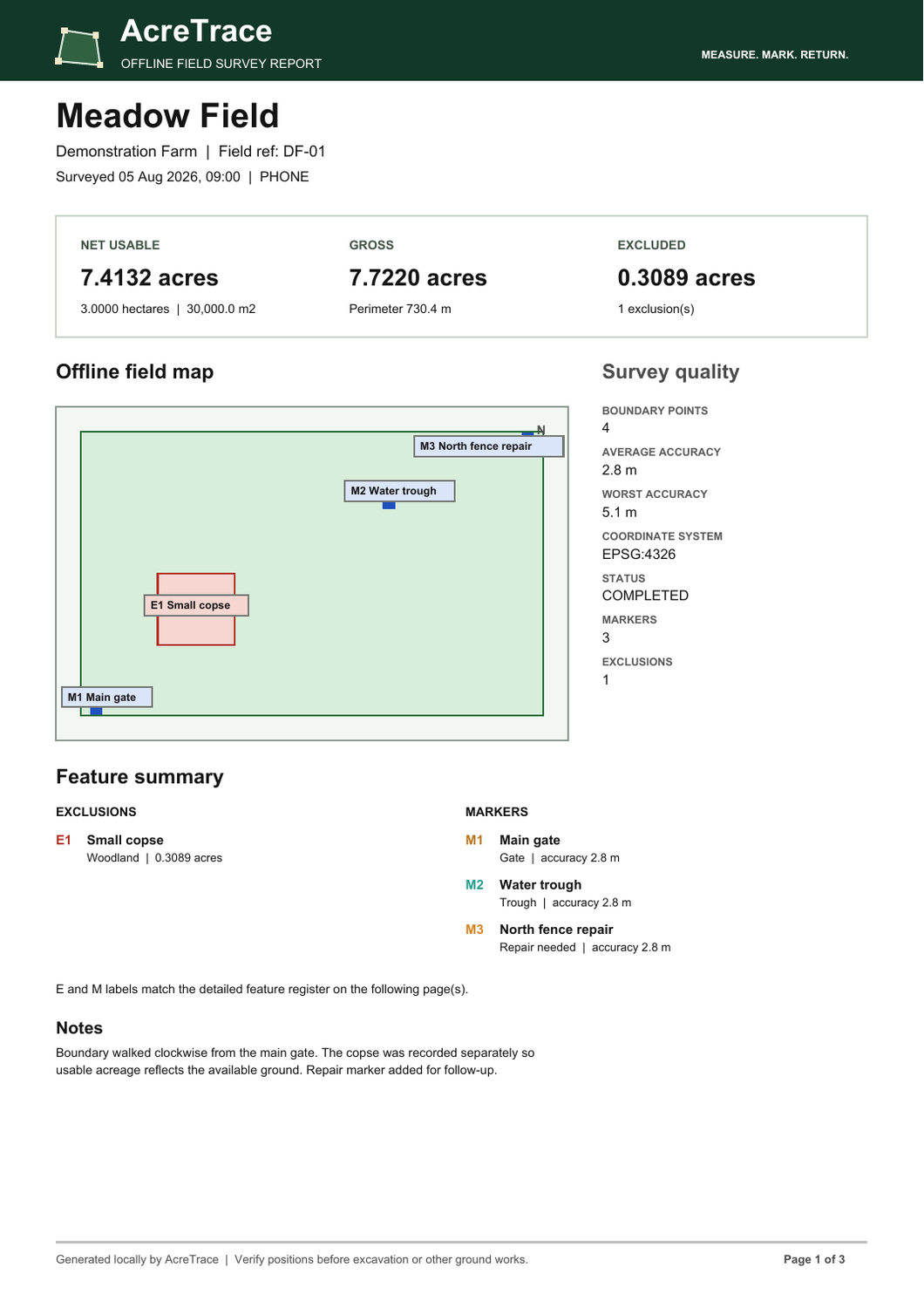
Meadow Field · 3-page PDF
A three-page field record with acreage, exclusions, markers, notes and boundary-point accuracy evidence.
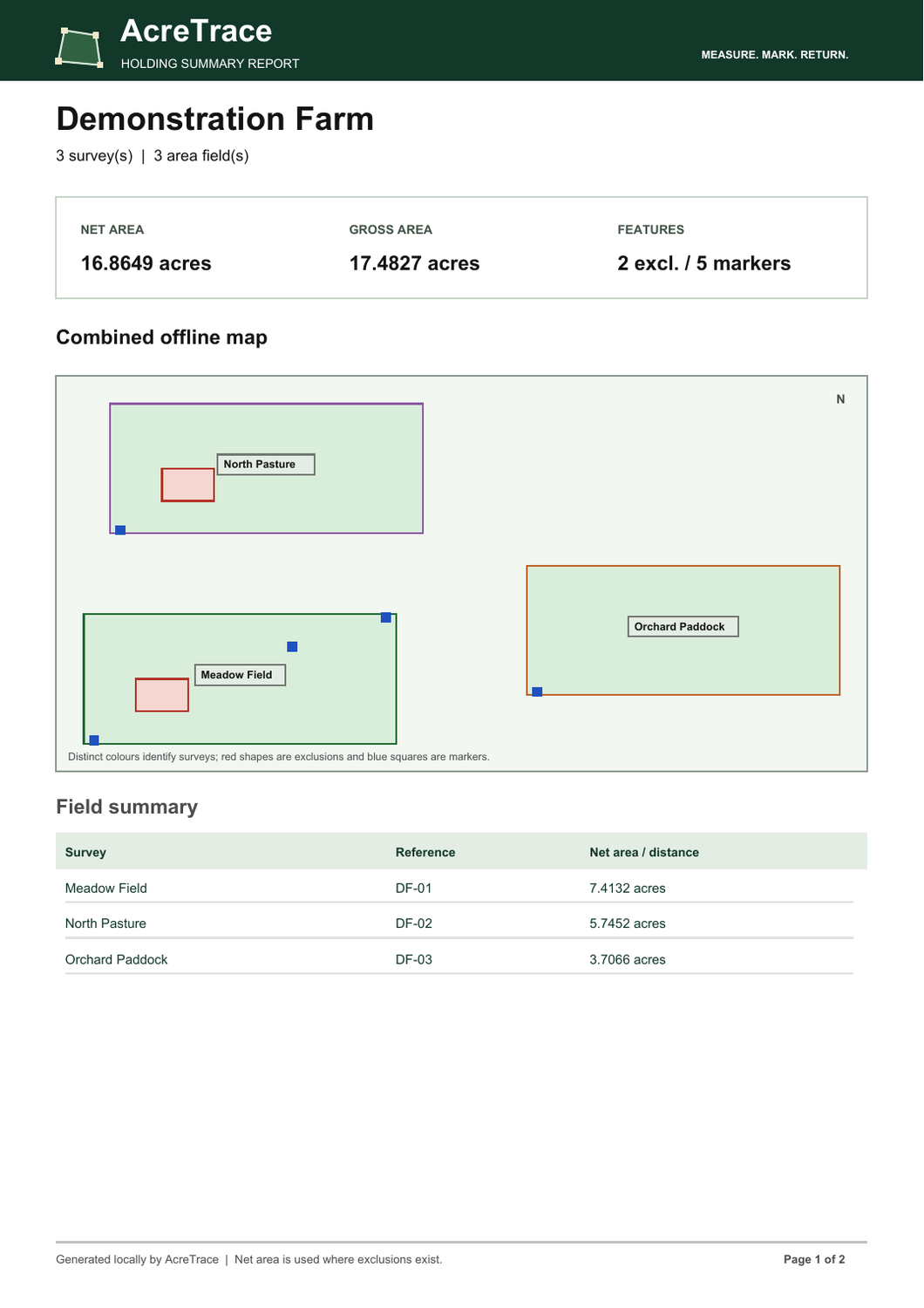
Demonstration Farm · 2-page PDF
A two-page holding summary with a combined offline map, total usable acreage and a detailed field and feature register.
Download these files and open them in Google Earth or compatible mapping software.
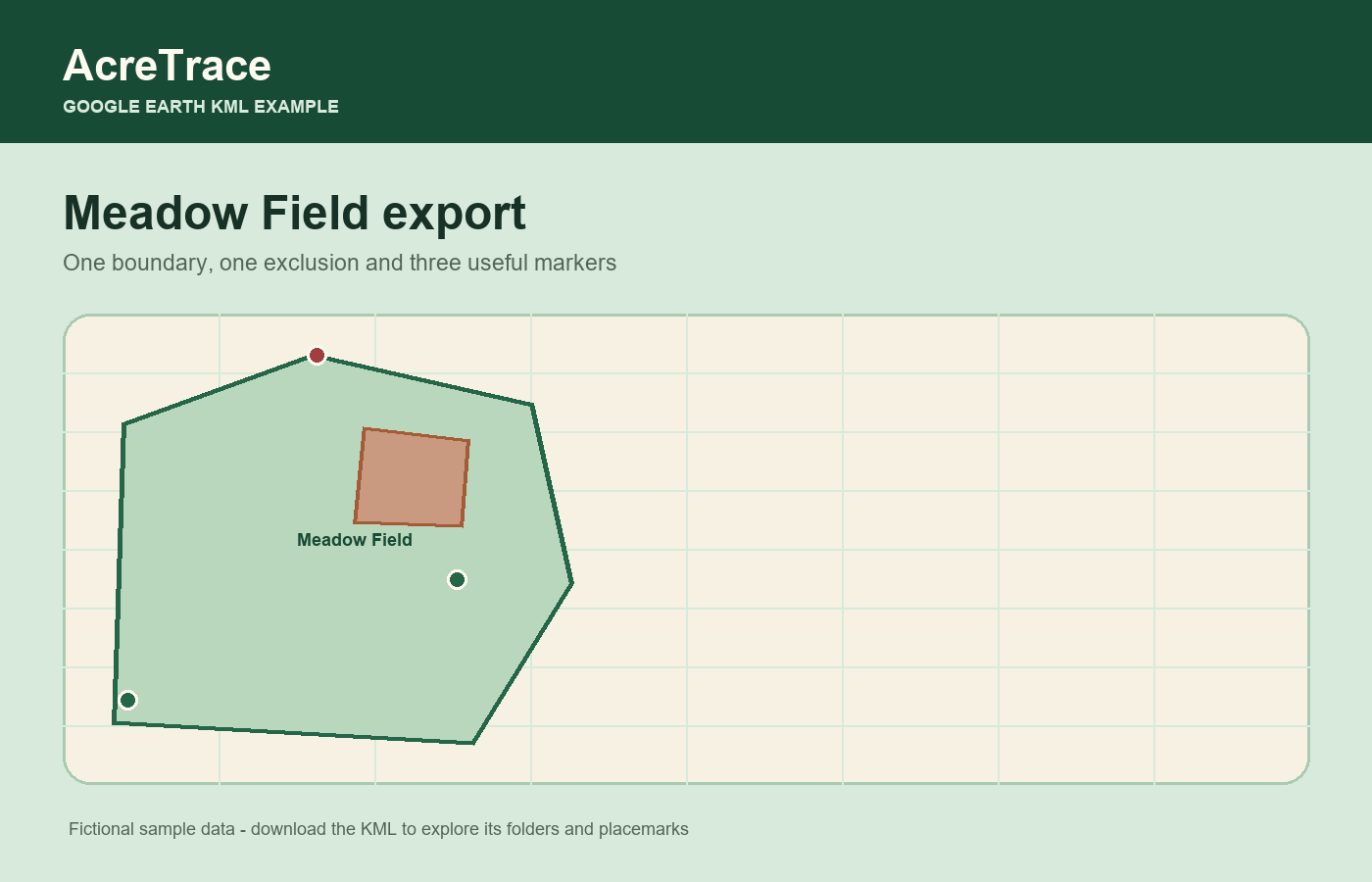
Meadow Field · KML
One field boundary with its exclusion and saved gates, water and repair markers organised in a KML file.
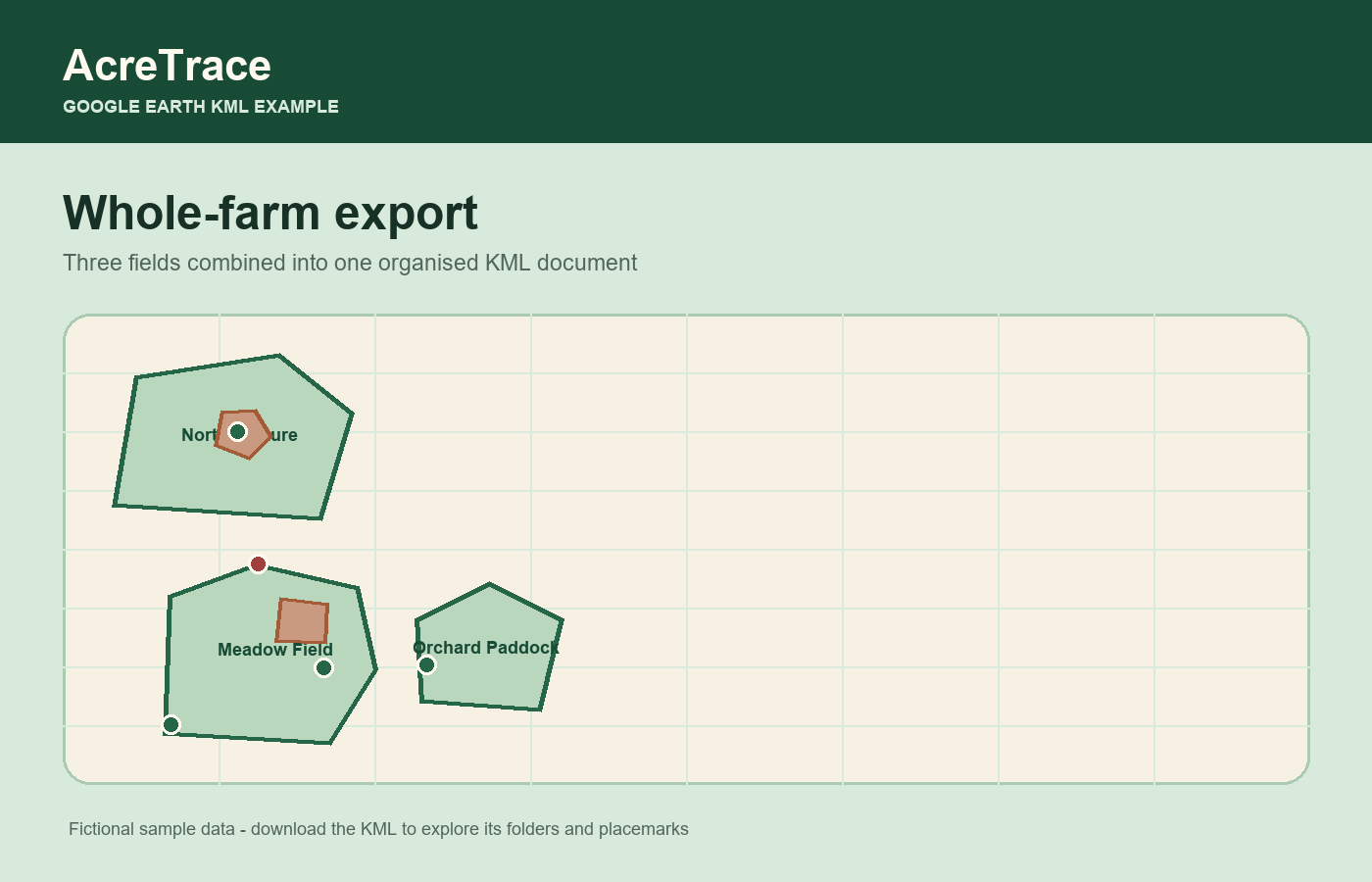
Demonstration Farm · KML
Three fields combined into one KML document, with separate folders for boundaries, exclusions and markers.
For your devices
Choose a light or dark desktop background, or a portrait version sized for modern Android and iPhone screens.
3840 × 2160 PNG
3840 × 2160 PNG
1920 × 1080 PNG
1920 × 1080 PNG
1440 × 3200 PNG
1080 × 2400 PNG
Download formats
Prepared formats for social posts, stories, email, press coverage and the Google Play listing.

1080 × 1080 PNG
1080 × 1920 PNG

1500 × 500 PNG

2400 × 1350 PNG

1200 × 300 PNG
1024 × 500 PNG
Brand assets
Official AcreTrace marks for accurate use in articles, listings and supporting material.

Horizontal · 1600 px PNG

For dark backgrounds · 1600 px PNG

1200 px PNG

1024 px PNG

512 px PNG
Using the artwork
Please retain the artwork’s proportions and colours, keep it legible, and avoid placing text or other marks over the logo. For press questions or another format, contact AcreTrace.
Request another format